
If you make pixel art for a game, you will meet the term sprite sheet quickly. It sounds technical, but the idea is simple.
What a sprite sheet is
A sprite sheet is a single image that holds many frames of an animation, arranged in a grid. Instead of eight separate files for a character’s walk, you have one picture with eight small drawings in it.
The game then shows one cell of the grid at a time, and moving from cell to cell produces the animation. Flip-book pages are a fair comparison: the sheet is the whole book laid flat.
Why games use them
- Fewer files. One image to load instead of dozens.
- Simple timing. The game picks the frame number and the speed, so you can change the pace without redrawing anything.
- Predictable layout. If every cell is the same size, the engine can work out where each frame is from its position alone.
Most 2D engines and frameworks can slice an evenly spaced sheet into frames. Check the documentation of the one you use for what it expects.
How to lay one out
- Keep every frame the same size. If the animation is 32×32, each cell is 32×32.
- Choose columns and rows. Eight frames can be 8×1 in a strip, 4×2, or 2×4. Pick whichever your engine or workflow prefers; a single row is the most common.
- Order frames left to right, then top to bottom. This is how engines normally count them.
- Do not leave gaps or borders unless your engine asks for padding.
- Keep a transparent background for characters that sit on top of a scene, so the sheet is not a set of coloured squares.
A worked example. A 4-frame blink on a 16×16 grid, laid out as 4 columns × 1 row, gives an image 4 × 16 = 64 pixels wide and 1 × 16 = 16 pixels tall: a 64×16 sheet. Frame 1 starts at x = 0, frame 2 at x = 16, frame 3 at x = 32 and frame 4 at x = 48.
Consistency matters more than the exact grid. Know the cell size, and write down the column count.
Common mistakes
- Frames drawn at different sizes, so the character appears to jump in the game.
- A character that shifts a pixel between frames when it should stand still, because the anchor point was not kept the same.
- Scaling the sheet up with smoothing, which blurs the pixels. Scale pixel art in whole-number steps with nearest-neighbour filtering.
Making a sprite sheet from an animation
You can build one by hand in any image editor, pasting each frame into a grid. It is slow and easy to misalign. An easier route is to draw the frames in a tool that exports the sheet for you.
Pixel Art Animator exports a sprite sheet from your frames on iPhone and iPad. You choose the number of columns and rows, preview the layout, then export. The sheet export is part of Pro, which is a monthly, annual or lifetime purchase; GIF and PNG export are available on the free version.
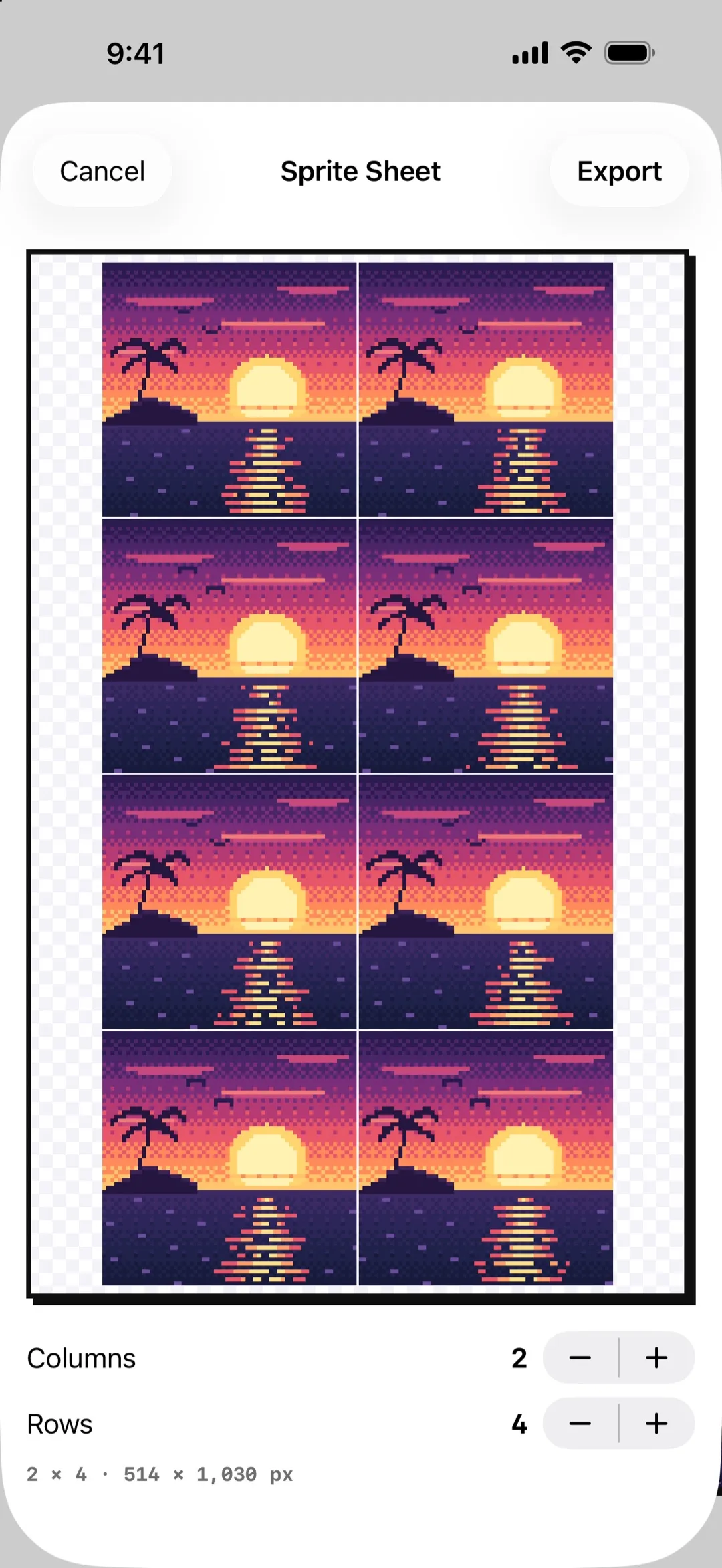
The preview shows the layout before you export, so you can check the grid. Eight frames in two columns and four rows give an image of two cells across and four down.
The app works offline and needs no account.
If you only need to share
A sprite sheet is for games and tools. To show an animation to people, export a GIF instead, which plays by itself in most places. See how to animate pixel art frame by frame for the drawing side.


