
A flipbook is a stack of drawings, each a little different from the one before. Flip the pages fast and your eye sees motion. It is the oldest and simplest form of animation, and a phone is a good place to do it: no eraser crumbs, an undo button, and a play button instead of a thumb.
This is a method that works in any frame-by-frame app, plus how it looks in Flipbook for iPhone.
Pick something that loops
Your first animation should repeat forever, because a loop has no ending to design. The last drawing only has to flow back into the first. Good first subjects:
- a bouncing ball
- a blinking eye or a flickering flame
- a pendulum or a swinging sign
- a cat jumping from a box and landing in the same place
Keep the background still. If it does not move, it only needs to be drawn once.
Plan how many drawings you need
Think in two numbers: how long the animation lasts, and how many drawings play each second. Twelve drawings per second is a common choice for hand-drawn animation and it looks smooth enough for most things. At that speed a one-second loop needs about 12 drawings. Fewer drawings per second looks choppier and faster to draw; more looks smoother and takes longer. We go into the numbers here.
For a first project, aim for 8 to 12 frames.
Draw the key frames first
Do not draw in order from start to finish. Draw the extremes first, for example the highest point of a bounce and the moment it squashes on the ground. Then fill in the frames between them. If the extremes read well, the in-betweens mostly draw themselves.
Keep each drawing simple. Details multiply the work in every frame.
Use onion skin
Onion skinning shows the previous frame as a faint ghost under the one you are drawing. It is the single most useful aid, because you can see exactly how far something moved since last time. Move it too far and it jumps; too little and it stutters. With the ghost showing, you judge by eye instead of flipping back and forth.
Play it early and often
Play the loop as you go, not only at the end. Problems that you cannot see on one frame are obvious in motion: a part that jumps, a frame that is too long, a loop that does not quite close. Then adjust the speed until it feels right.
Share it
A GIF plays on its own in most chat apps and websites, so it is the default for a loop. If you want something to print, pages of the frames work like a paper flipbook you can cut and staple.
Doing it in Flipbook
Flipbook is a frame-by-frame animation app for iPhone and iPad built around these steps. You draw with your finger or Apple Pencil on a canvas, with a frame strip underneath, play controls, and an FPS setting from 1 to 24.
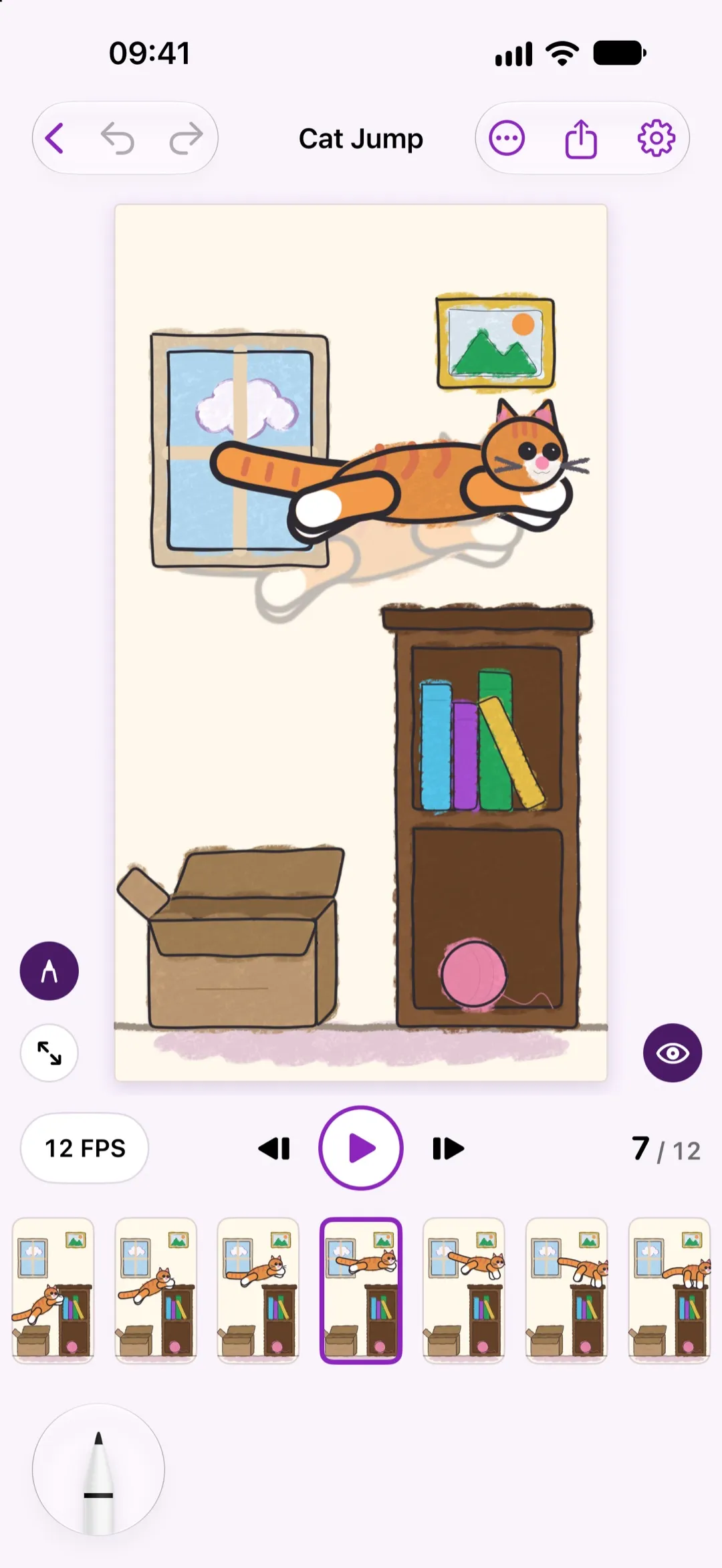
The screenshot is a 12-frame cat jump at 12 FPS, with onion skin showing the previous pose. You can add, duplicate and reorder frames, set a background colour on any frame, loop the preview, and undo.
Free lets you draw, preview with onion skin, and export an animated GIF or the frames as PNGs. Pro, a monthly, annual or lifetime purchase, lifts the limits on frames and projects, adds larger canvases, adjustable onion skin opacity, reference images to trace over, and MP4 and printable PDF export. Frame and project limits differ between Free and Pro, so check the store page for the current numbers.
Everything stays on your device. There is no account, no ads and no tracking, and it works offline.
A first project, start to finish
- Make a new animation and set it to 12 FPS.
- Draw a ball at the top of its bounce.
- Add a frame and draw it squashed on the ground.
- Add the in-between frames, using the onion skin ghost to space them.
- Turn on loop and play it.
- Fix any frame that jumps, then export a GIF.
That is a finished animation, and the same steps scale up to a character walking.


