
A walking day in an old town or a week on a coastal road leaves you with dozens of photos and a vague sense of the order. Months later you cannot say whether the viewpoint came before lunch or after, or how far you really went.
A record of the route fixes that. It does not need to be elaborate.
What is worth recording
Think about what you will want to know later:
- The stops, in order, with a few words each.
- The path between them, if the journey itself was the point.
- Rough timing, so you can tell a slow morning from a rushed afternoon.
- Distance and time, which turn into a good detail for the story.
You rarely need all four. A walking tour is mostly stops. A road trip is mostly the path.
Three ways to do it
Photos as a timeline. Your photos carry times and often locations, so Photos already sketches the day. This costs nothing but only shows where you took pictures, and a stop without a photo is missing.
A running notes file. Write a line at each stop with the time. It is plain, searchable and works anywhere. It has no map, and you must remember to do it.
A route or journey feature in a map app. Several apps can record a path or let you plan one from stops. This gives you a drawn route and totals, at the cost of another app to learn. Read what an app does with your location before you rely on it.
For a day out, a good place to start is the photo timeline plus a note at each stop; add more only if you find you miss it.
A few habits that make the record better
- Note the time at the start and the end. Two timestamps give you the length of the day, even if you record nothing else.
- Write down why you stopped. “Rain, waited in a bakery” is worth more later than the bakery’s name alone.
- Record the detours. The wrong turn that led to the best view is the part you will retell.
- Keep the order. If you save stops after the fact, check the sequence against your photo times, because memory shuffles the middle of a day.
- Do not let recording replace looking. A line at each stop is enough. If you are staring at your phone, you are doing too much.
For a multi-day road trip, give each day its own short entry rather than one long file, so you can find the day with the waterfall without scrolling through the rest.
Plan first, then record
If you know the day in advance, list the stops before you leave, then tick them off and note surprises. A plan makes the record easier to read afterwards, because you can see where the day changed.
Where Map Diary fits
Map Diary has a journeys feature for this. In the app you can plan a walking or driving route from your own saved stops, including a round trip, and when you finish a journey it is kept as a poster of the path you walked, with the places visited, distance and time in a timeline. Routes and past journeys are part of Pro; the free version covers saving places with photos and notes.
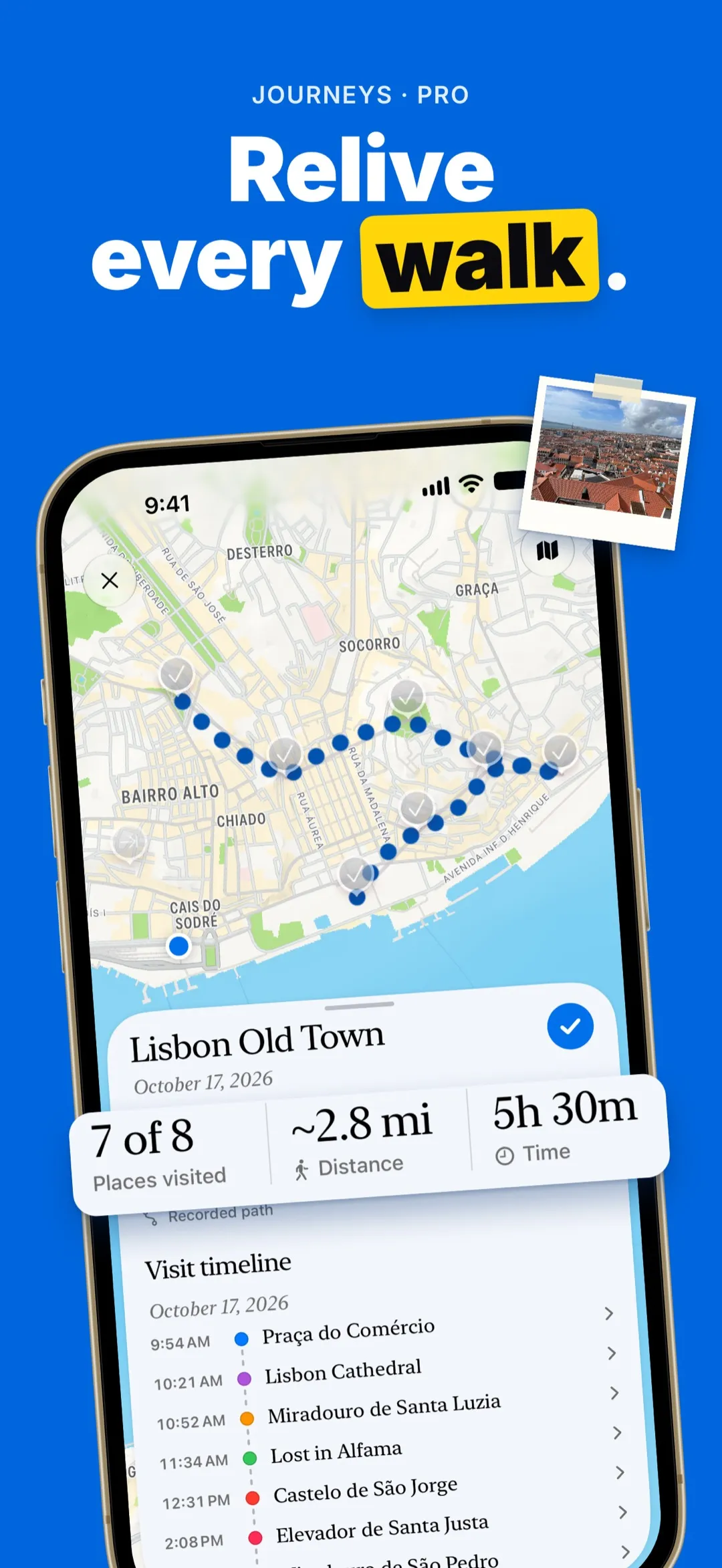
Directions and address lookups go through Apple Maps, which means your search text or map coordinates reach Apple for those requests. The journal itself stays on your iPhone.
After the trip
Within a day or two, read the record back and add what you remember: the name of the cafe, a conversation, the weather. That small edit is what makes it a keepsake rather than a log.


