
Most travel journals stop on day three. The notebook gets heavy, the evenings get tired, and the blank page starts to feel like a debt. The fix is rarely more discipline. It is a smaller job.
Decide what the journal is for
A journal can be a diary, a record of where you went, or a memory aid for the trip you want to repeat. You can mix them, but pick the main one before you leave, because it decides what you write.
If you only want to remember the trip in ten years, you need less than you think: where you were, one detail, and how it felt.
Write one thing per stop, not one page per day
A daily entry asks you to summarise twelve hours. A note at the moment you are standing somewhere asks for one sentence. That is the habit worth building.
A line that tends to survive time well has three parts:
- What you saw or did, in plain words (“lunch at the harbour, grilled sardines”).
- One detail only you would notice (the smell, the argument over the map, the weather turning).
- Whether you would go back, and what you would do differently.
Skip the full itinerary. Your booking emails and your photo timeline already hold it.
Tie each note to a place
Notes without a location lose half their value. “Best view of the trip” means nothing a year later if you cannot say where. Whatever you use, record the place with the note: a pin on a map, a name in the heading, or a photo whose location you have kept.
On iPhone, the Photos app already remembers where many of your pictures were taken, which is useful for rebuilding a route afterwards. It does not hold your thoughts, so those still need a home of their own.
Pick a tool you already carry
Paper is lovely and has no battery, and some people write better by hand. Its weakness is that you cannot search it or tie it to a map, and it can be lost or soaked. A notes app searches well but has no map. A dedicated journal app can combine both. Choose the one you will open without thinking, because the best system is the one you use on a tired evening.
Keep your photos and words together
A few photos per place beat a hundred per day. When you pick two or three at the end of an outing, you also practise remembering. Then put a note next to them while the day is still fresh.
Where Map Diary fits
Map Diary is an iPhone app for exactly this shape of journal: you long-press the map to save a place, then add photos and notes to that pin and group places into lists such as one per trip. It works without an account, and your saved places, photos and notes are stored on your iPhone.
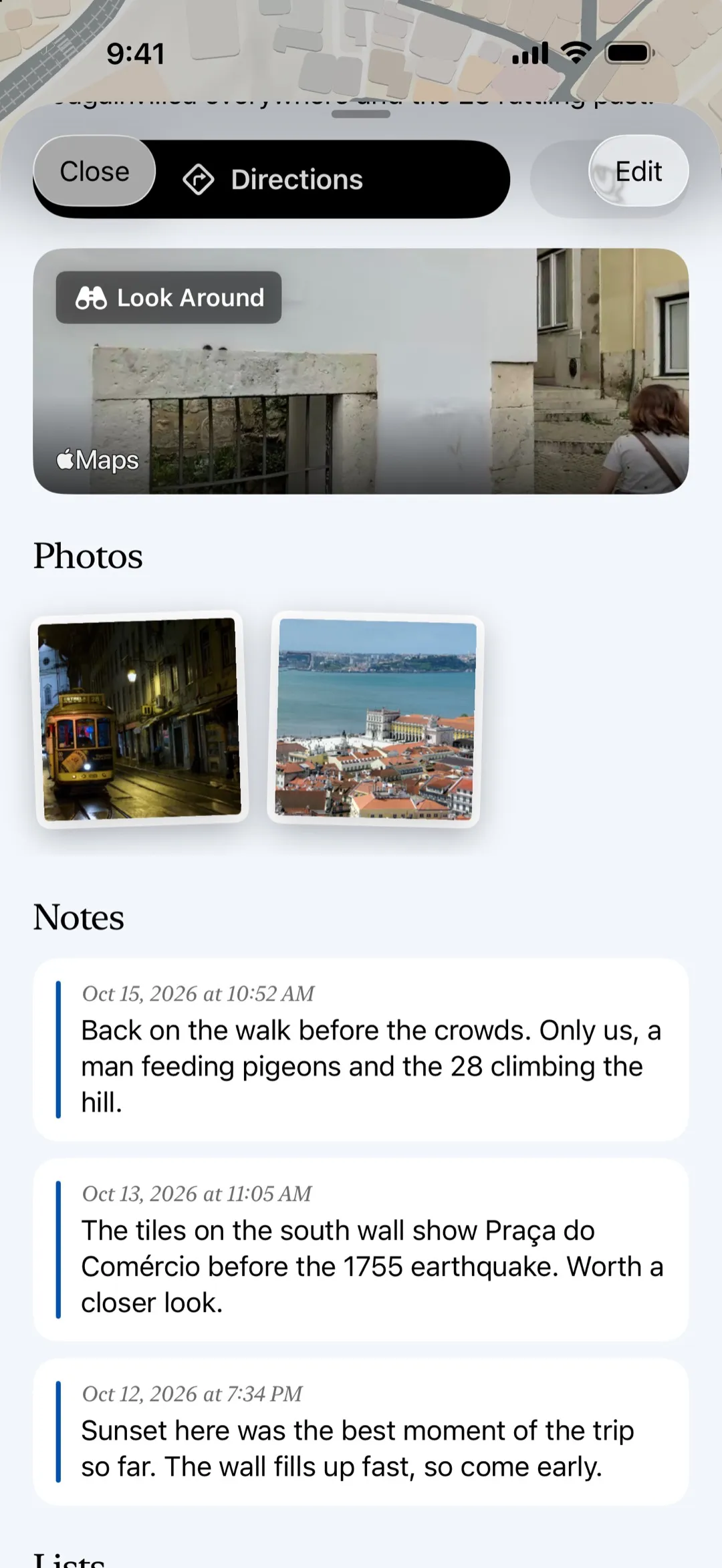
The free version has limits on how many places, lists, photos and notes you can keep, and Pro removes them (monthly, annual or lifetime). The screenshot shows a place with two photos and three notes, which needs Pro. Looking up an address, searching for a place or asking for directions goes through Apple Maps, so those searches reach Apple. Your journal itself does not leave your device. You can try the app on a single trip to see whether the habit sticks before you decide on anything else.
A routine that holds up
- Before the trip, decide what the journal is for.
- At each stop worth remembering, save the place and write one sentence.
- Once a day, pick two or three photos for that day.
- When you get home, read it all through once and fix anything unclear while you still remember.
- Copy the journal somewhere safe, because the thing you made is worth more than the phone it lives on.
Keep it small and it will survive the whole trip.


